ONVU360 Pro2.0
Publisher Description

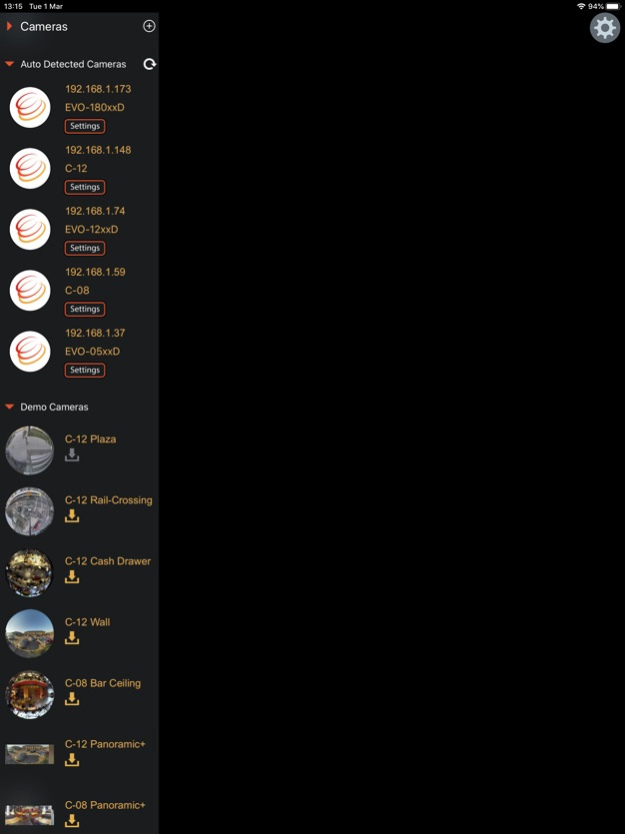
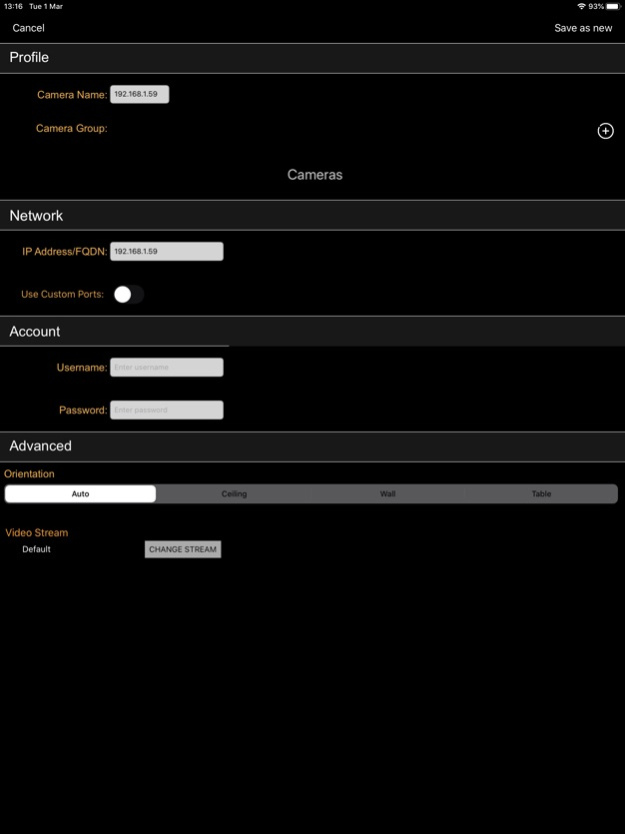
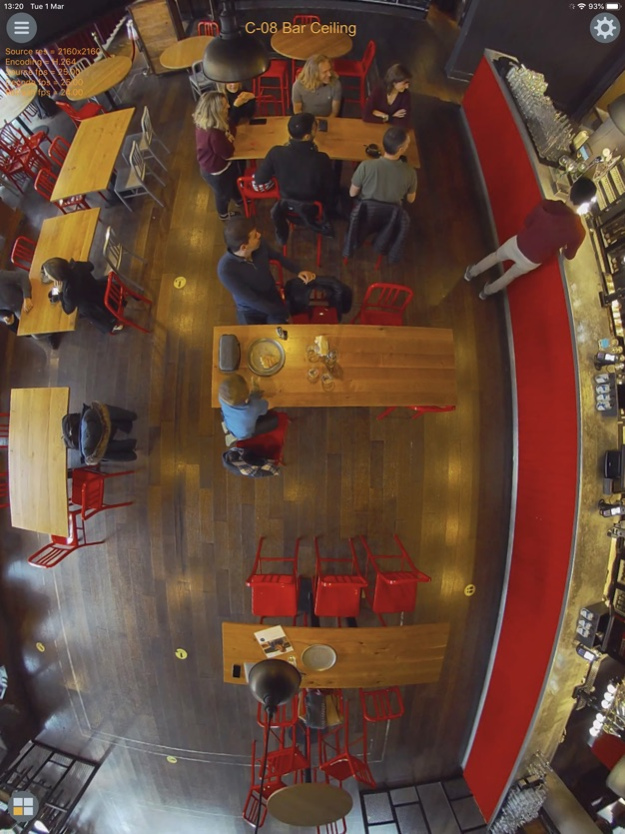
Oncam's ONVU360 Pro - experience 360-degree surveillance in full HD.
Oncam's ONVU360 Pro demonstration application enables users to fully experience the benefits of 360-degree surveillance in full HD. Explore the unlimited possibilities of 360-degree video via the demonstration videos and see why our customers love our image quality and the natural-looking views from our dewarping technology for their surveillance needs. Connect directly to your Oncam camera to view live and recorded video.
Mar 2, 2022
Version 2.0
• Support for all Oncam C-Series (C-12 & C-08) & Evolution cameras.
• Auto-discovery of cameras on the network for faster set-up.
• Support of High-Speed video streaming for the C-series camera range.
• Supports all C-series camera modes, Fisheye (360-degree), Panoramic+ (180-degree) and Multimode views ( VCam, 180-Degree Panoramic+, Corridor+ & T Corridor+ Streams).
• Support of C-Series StreamLite+ Compression (Colour map).
• Support of video compression streams MJPEG and H265 on the C-series, H264 on all cameras.
• Access SD recorded footage from the camera
• Removed support for motion recording playback from the EVO camera range.
• Global settings menu and saved login credentials for easy access to your suite of cameras.
• Add and manage your Oncam cameras and streams, re-order and group cameras for an even easier navigation.
• Save and name preset views from all cameras in your list.
• Tap, drag, pinch, rotate, shake. It's easy and fast to manipulate any dewarped live or recorded video streams with multi-touch capability.
• Export/Import, backup & share the camera list through email.
• Hardware video acceleration to optimise app performance on lower spec devices.
About ONVU360 Pro
The company that develops ONVU360 Pro is Onvu Technologies Limited. The latest version released by its developer is 2.0.
To install ONVU360 Pro on your iOS device, just click the green Continue To App button above to start the installation process. The app is listed on our website since 2022-03-02 and was downloaded 6 times. We have already checked if the download link is safe, however for your own protection we recommend that you scan the downloaded app with your antivirus. Your antivirus may detect the ONVU360 Pro as malware if the download link is broken.
How to install ONVU360 Pro on your iOS device:
- Click on the Continue To App button on our website. This will redirect you to the App Store.
- Once the ONVU360 Pro is shown in the iTunes listing of your iOS device, you can start its download and installation. Tap on the GET button to the right of the app to start downloading it.
- If you are not logged-in the iOS appstore app, you'll be prompted for your your Apple ID and/or password.
- After ONVU360 Pro is downloaded, you'll see an INSTALL button to the right. Tap on it to start the actual installation of the iOS app.
- Once installation is finished you can tap on the OPEN button to start it. Its icon will also be added to your device home screen.
Program Details
System requirements
Download information
Pricing
Version History
version 2.0
posted on 2022-03-02
Mar 2, 2022
Version 2.0
• Support for all Oncam C-Series (C-12 & C-08) & Evolution cameras.
• Auto-discovery of cameras on the network for faster set-up.
• Support of High-Speed video streaming for the C-series camera range.
• Supports all C-series camera modes, Fisheye (360-degree), Panoramic+ (180-degree) and Multimode views ( VCam, 180-Degree Panoramic+, Corridor+ & T Corridor+ Streams).
• Support of C-Series StreamLite+ Compression (Colour map).
• Support of video compression streams MJPEG and H265 on the C-series, H264 on all cameras.
• Access SD recorded footage from the camera
• Removed support for motion recording playback from the EVO camera range.
• Global settings menu and saved login credentials for easy access to your suite of cameras.
• Add and manage your Oncam cameras and streams, re-order and group cameras for an even easier navigation.
• Save and name preset views from all cameras in your list.
• Tap, drag, pinch, rotate, shake. It's easy and fast to manipulate any dewarped live or recorded video streams with multi-touch capability.
• Export/Import, backup & share the camera list through email.
• Hardware video acceleration to optimise app performance on lower spec devices.
